
(AMR) Autonomous Mobile Robotics Cleaning Robot
Copyright © 2024 Alessio Borgi
Autonomous mobile robot for indoor cleaning, built with ROS (Noetic), Webots, and RViz. Features SLAM, navigation, trajectory planning, and dynamic obstacle avoidance.
 GitHub Repository
 Introduction
Welcome to the Cleaning Robot project. It simulates an autonomous cleaning AMR on Ubuntu 20.04 using ROS1 Noetic, Webots, and RViz.
Key Capabilities
- SLAM: Builds a detailed map using Lidar and odometry for obstacle-aware navigation.
- Planning Trajectories: Uses NavfnROS and TrajectoryPlannerROS to compute optimal global/local paths accounting for static and dynamic obstacles.
- Dynamic Obstacle Avoidance: Sensors and planners cooperate to steer around obstacles for smooth navigation.
Home Environment
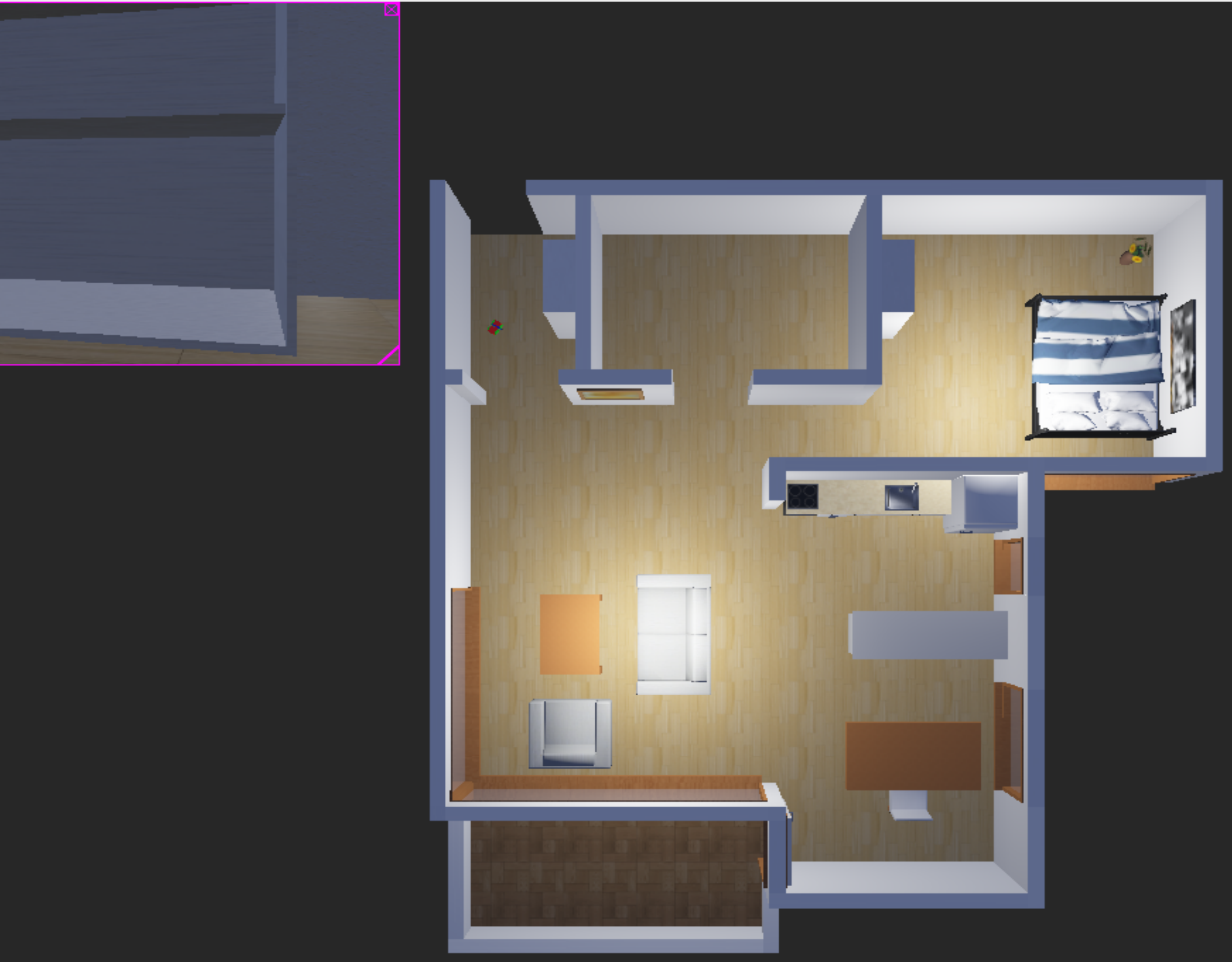
The robot operates in a Webots home world, showing both top view and onboard camera.
Robot Structure & URDF
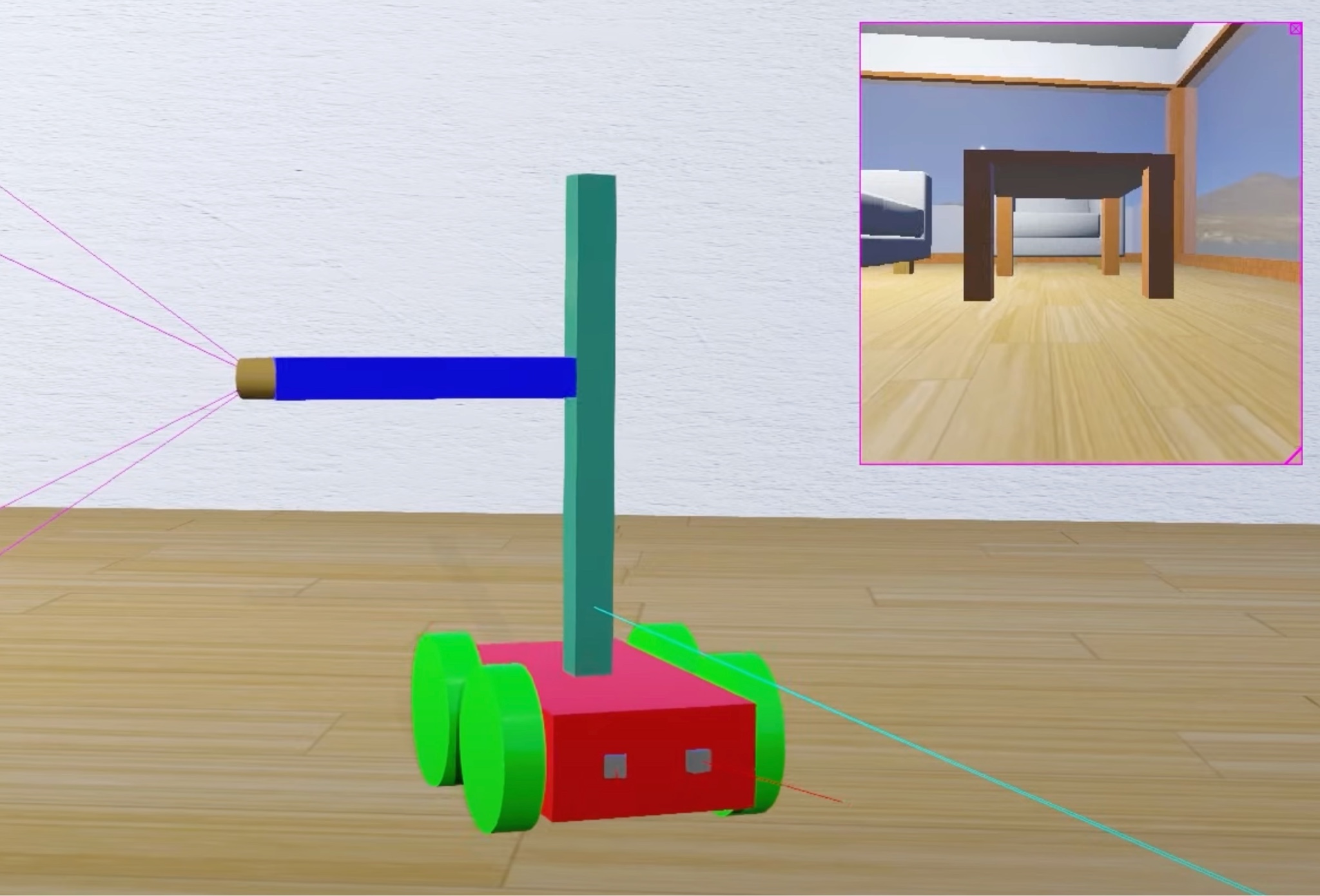
Rectangular mobile base with linear and rotary actuators for camera positioning; equipped with distance sensors, dual GPS, Lidar, and IMU. Fixed joints for body-mounted components; continuous joints for actuators/camera. URDF is generated from the CleaningRobot.xacro via robot_description, published by robot_state_publisher.
URDF graph (rqt):
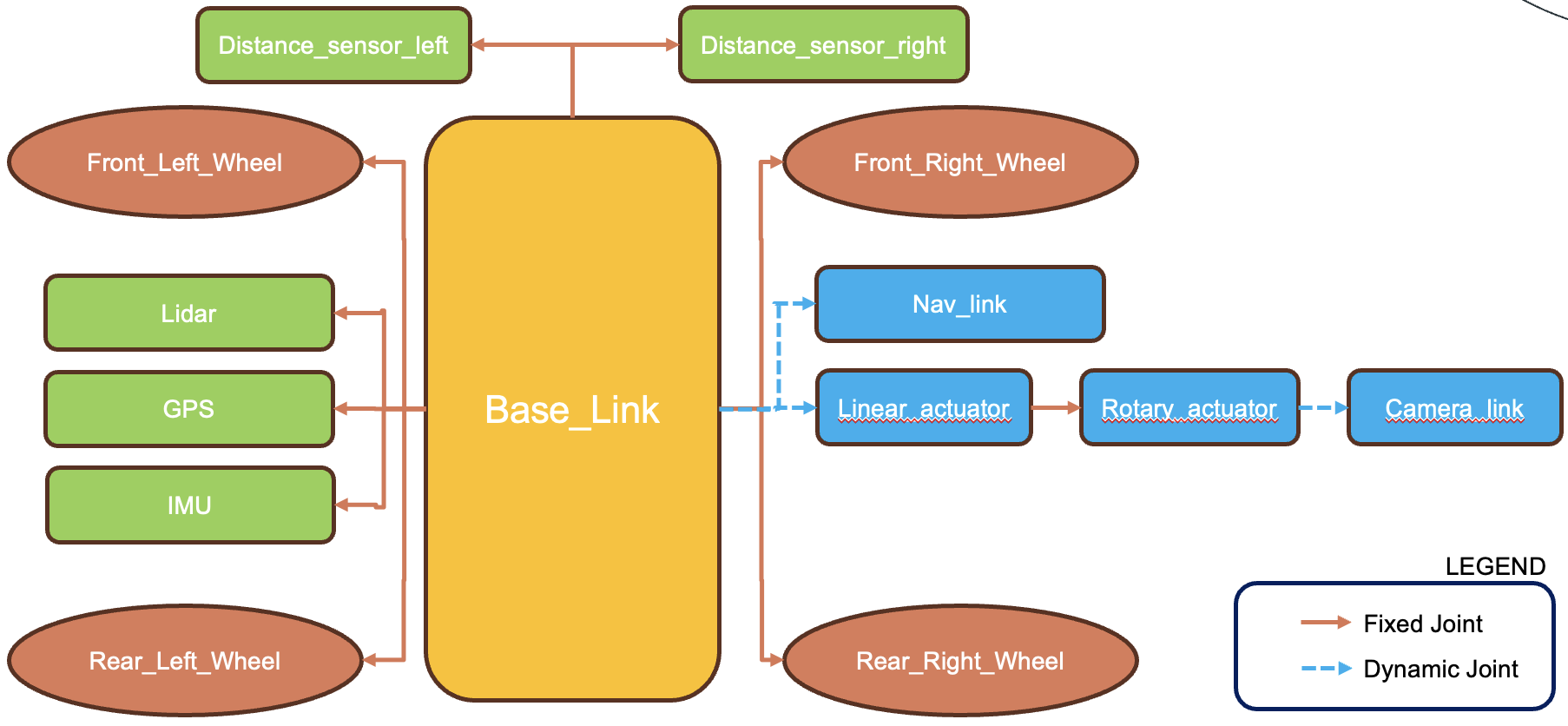
Verify with:
rosrun rqt_gui rqt_gui

TeleOp (Keyboard)
Keyboard teleoperation to drive the robot and orient the camera.
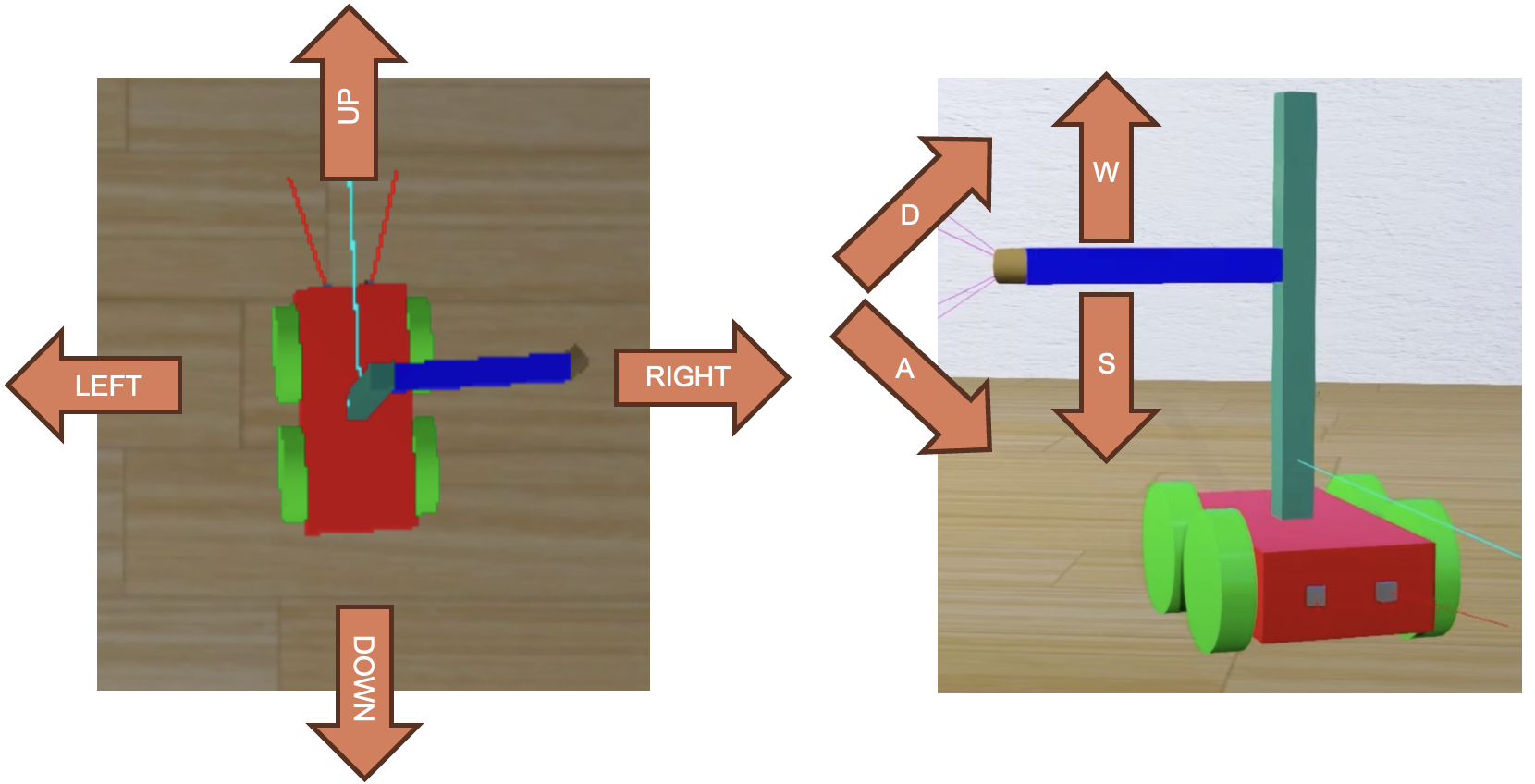
To monitor TeleOp topic while running:
rostopic list→ find/Cam_robot_xxxxxx_NameOfYourMachinerostopic echo /Cam_robot_xxxxxx_NameOfYourMachine/keyboard/key
SLAM with GMapping
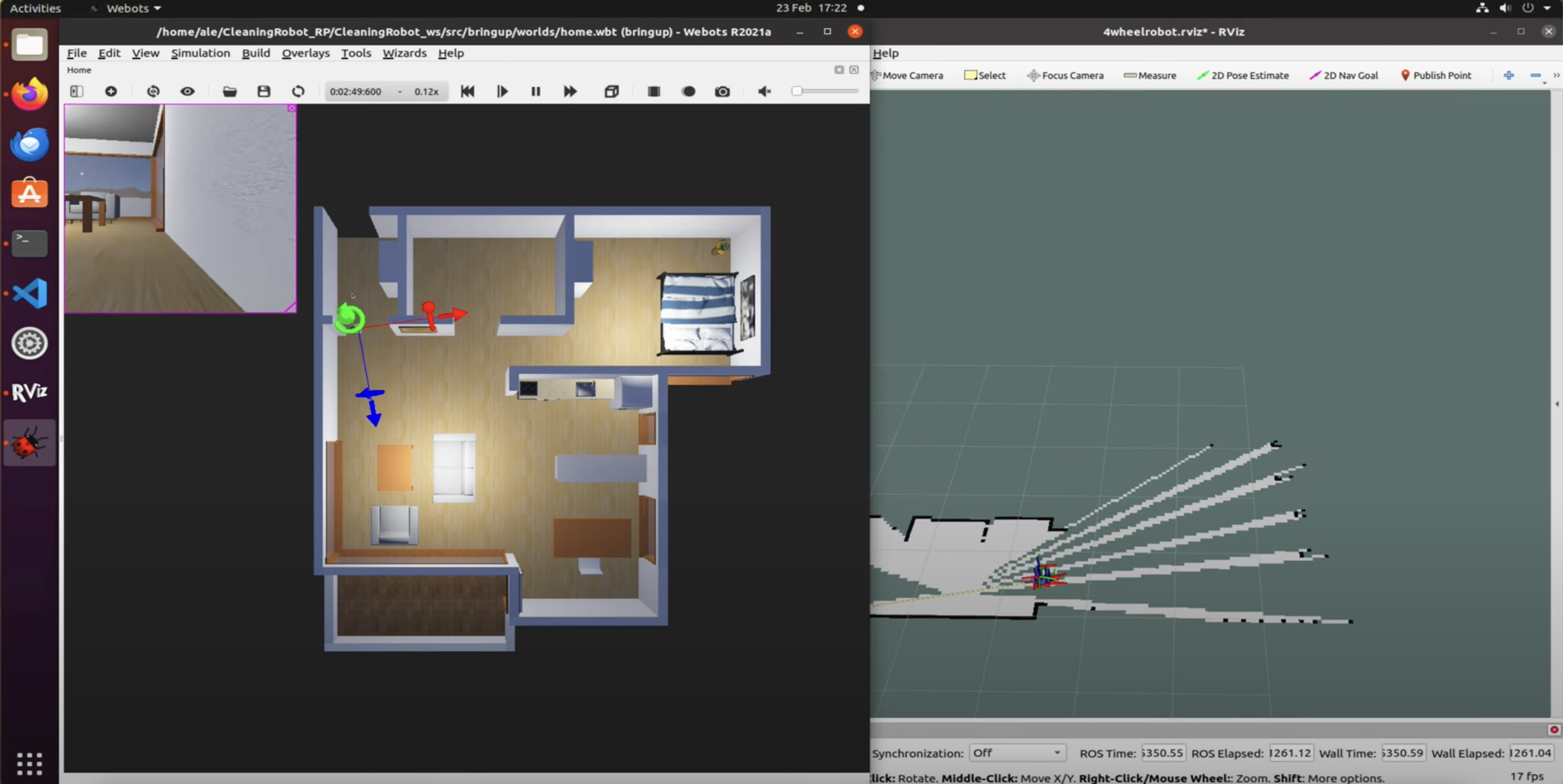
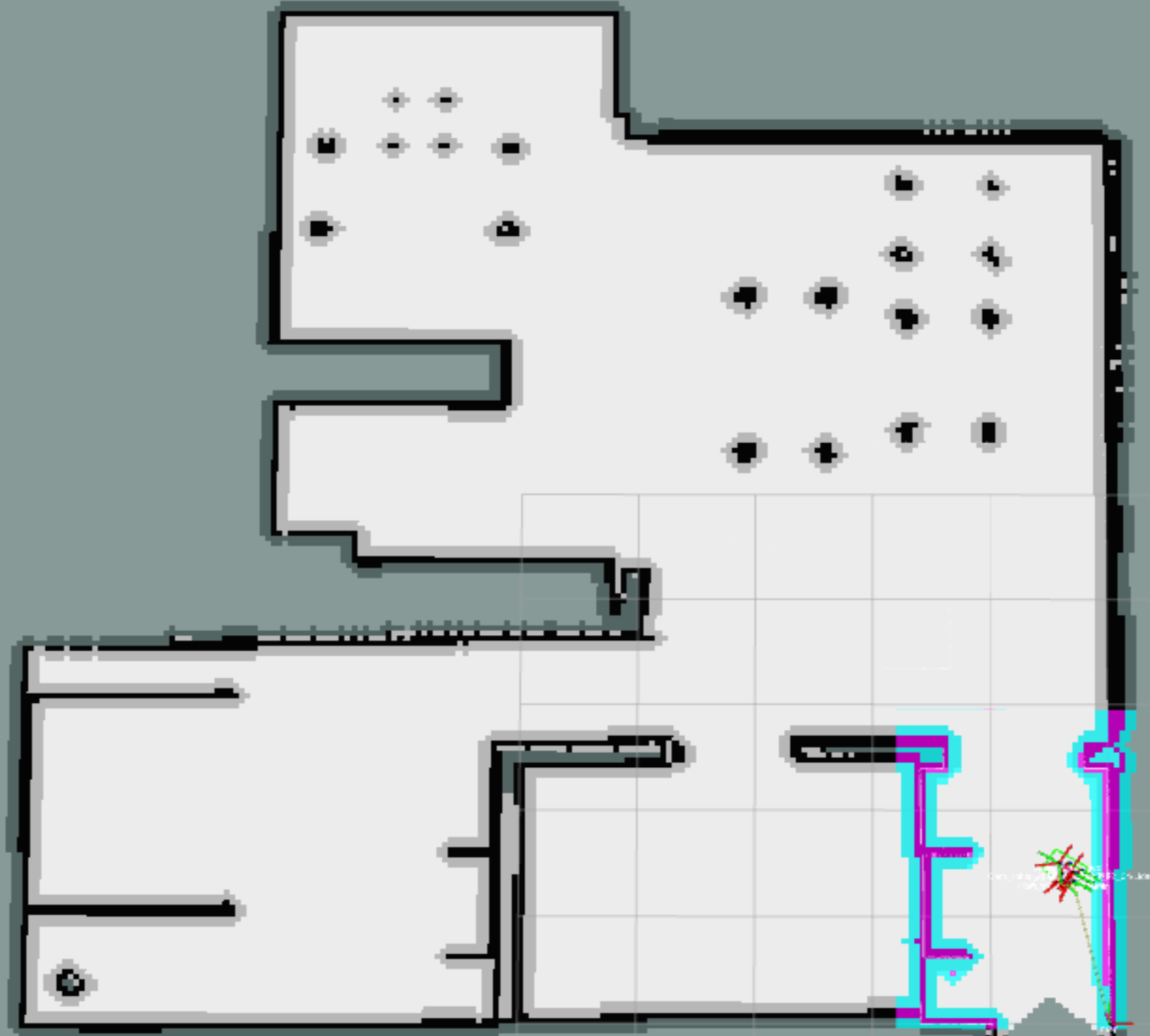
Builds a 2D occupancy grid and estimates pose using Rao-Blackwellized particle filter. Input: raw laser + odometry; outputs map and pose.
SLAM Building Instructions
- Checkout SLAM branch:
git checkout SLAM_Map_Building - Terminal 1:
catkin build,source devel/setup.bash,roslaunch bringup master.launch - Terminal 2: run GMapping (replace topic with your scan):
rosrun gmapping slam_gmapping scan:=/Cam_robot_xxxx_Ubuntu_22_04/Lidar/laser_scan/layer0
Saving the Map
Use map_server to save:
rosrun map_server map_saver -f src/robot_settings/maps/map
Navigation, Planning & Obstacle Avoidance
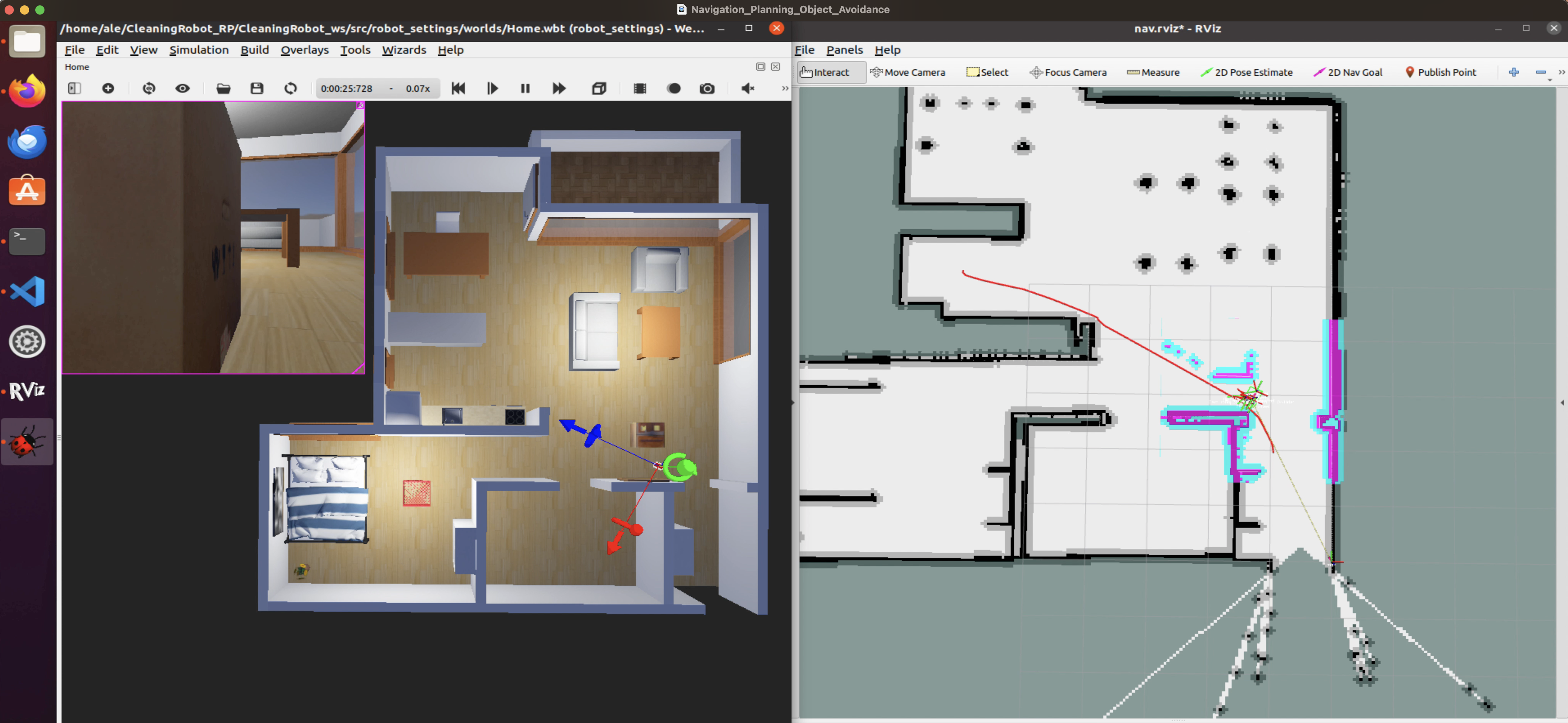
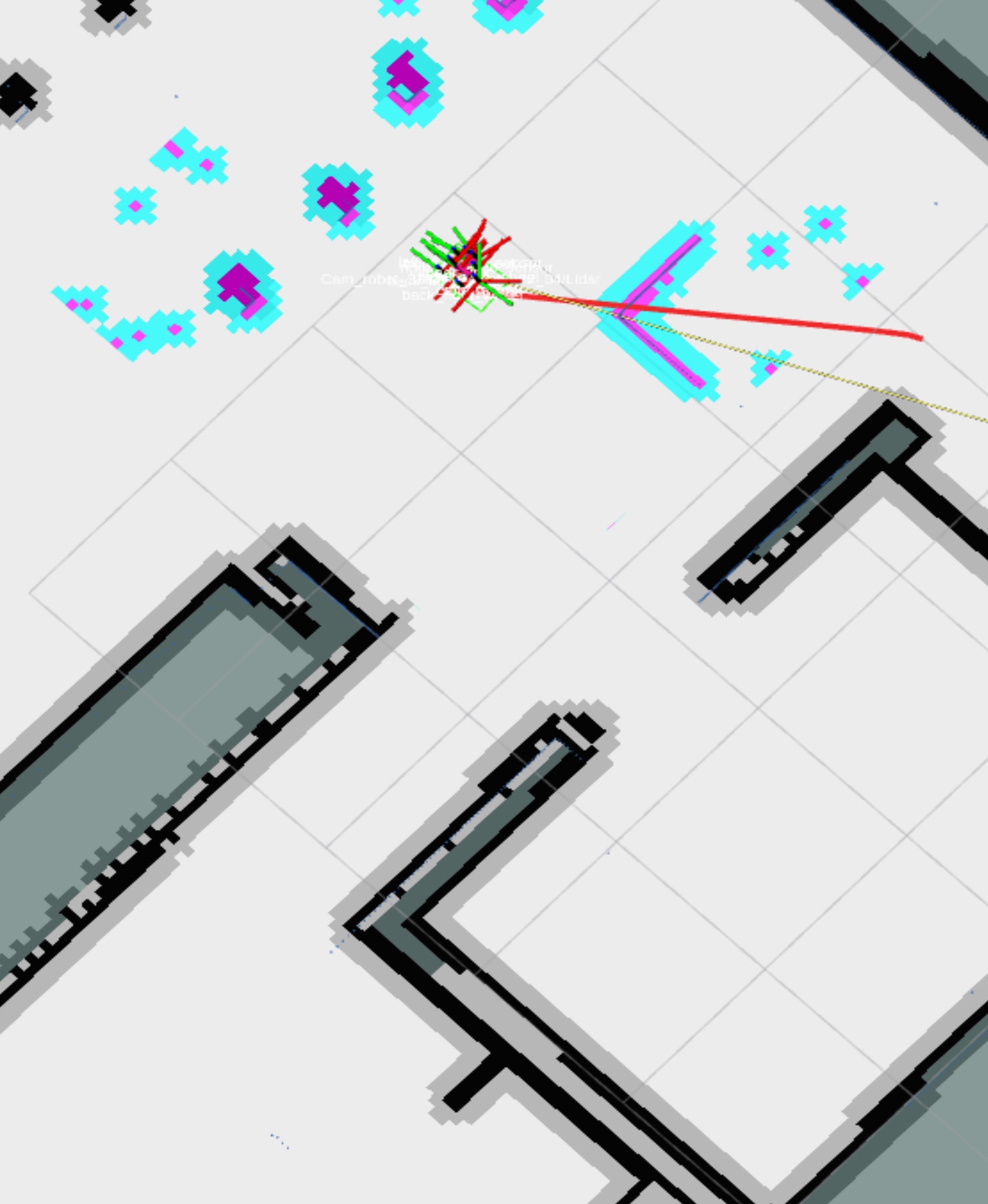
The AMR navigates with a Global Path (NavfnROS, Dijkstra) over the global costmap and a Local Path (TrajectoryPlannerROS) for obstacle avoidance. MoveBase orchestrates maps, planners, and cmd_vel.
Set a goal in RViz (2D Nav Goal); the robot plans and follows, handling new obstacles.
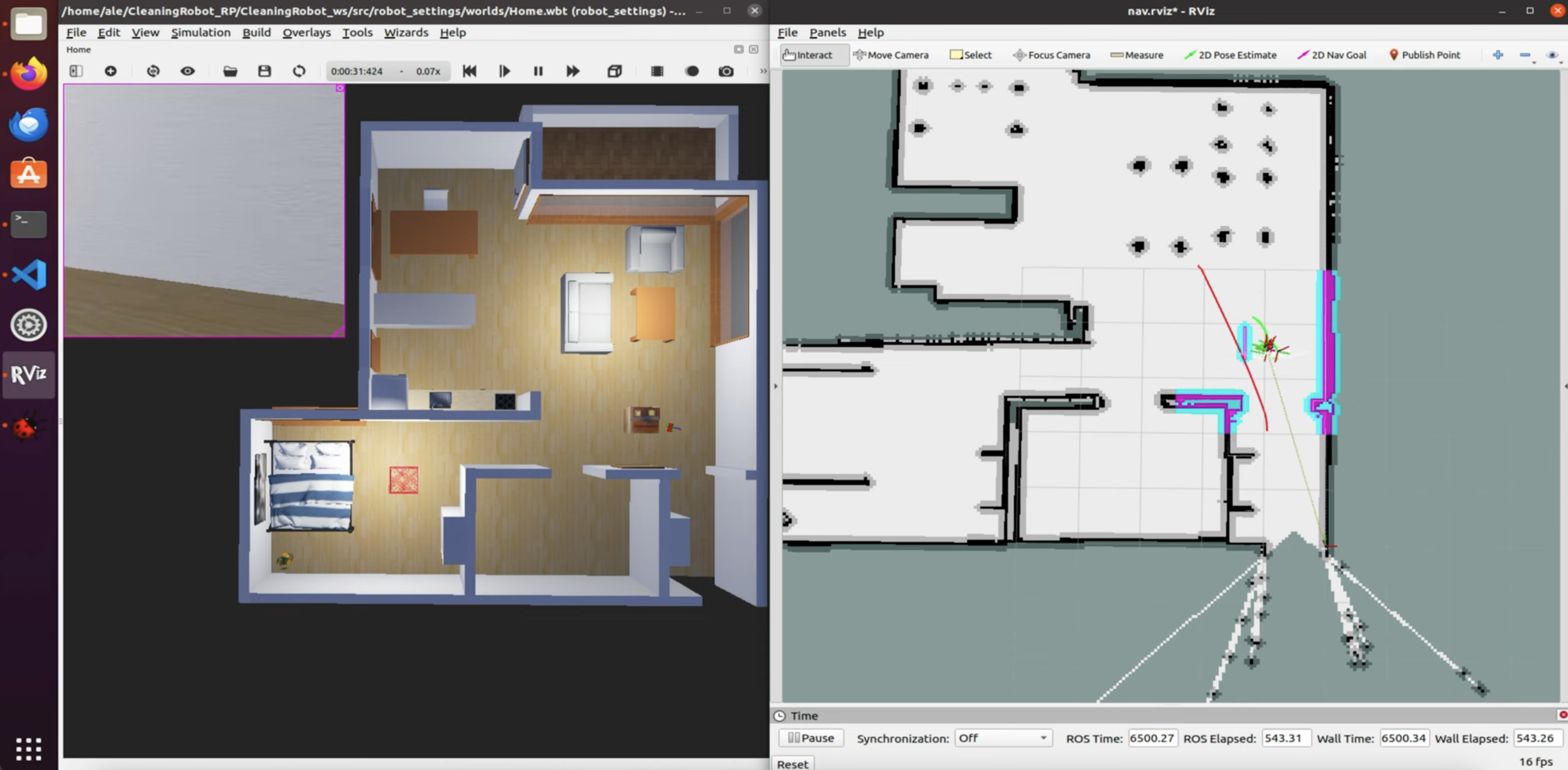
Recovery: MoveBase will rotate and retry; if unsolvable it cancels. Clear noisy data via:
rosservice call /move_base/clear_costmaps
Setup & Launch (Installation)
- Installations
- Ubuntu 20.04.
- ROS1 Noetic (official guide).
- Webots R2021a from the official site.
- Workspace Setup
mkdir nameFolder && cd nameFoldermkdir -p CleaningRobot_ws/src && cd CleaningRobot_ws/srcgit clone https://github.com/alessioborgi/CleaningRobot_RP.git
- Dependencies and Packages Installation
- In the workspace:
sudo apt-get install python3-rosdep sudo rosdep initrosdep updatecd robot_settingsthenrosdep install --from-paths src --ignore-src -ycd ..thencd nav_plan_objavoidand runrosdep install --from-paths src --ignore-src -y
- In the workspace:
- Launching the Project
cd nameFolder/CleaningRobot_wscatkin buildsource devel/setup.bashroslaunch robot_settings master.launch(opens Webots + RViz)
Other Project

Autonomous lunar rover with Dijkstra planning, visual object detection, and gripper control (TESP ’25, Space Robotics Lab).